A program that can be used to retrieve the bootloader unlock token for Xiaomi devices. (and unlock the bootloader) using Termux
Note: This tool cannot bypass the 7, 14, 30 day unlock time.
• How to unlock xiaomi device bootloader using termux? • modified?

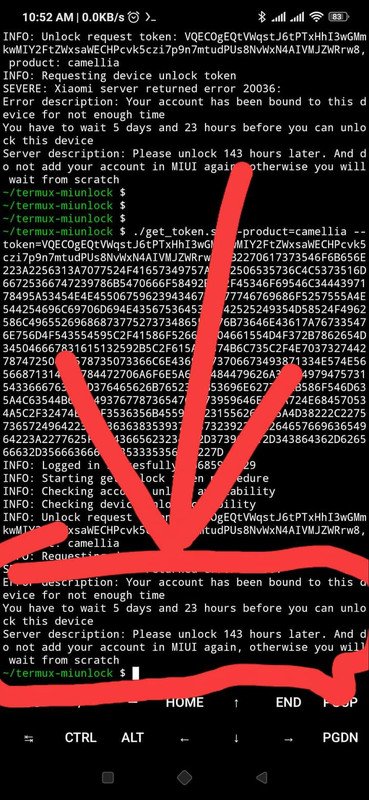
Usage: get_token.sh [OPTIONS] DATA
A program that can be used to retrieve the bootloader unlock token for Xiaomi
devices. using Termux.
*     DATA                Install account.apk from repo, login and copy-paste
                            the response.
      --debug             Output messages about what the tool is doing
      --help              Display a help message
*     --product=PRODUCT   Used to verify device product
      --region=REGION     Tool server hosts or regions: india, global, china,
                            russia, europe
                            Default: india
*     --token=TOKEN       Used to verify device token
--version Version information-
- Verified Xiaomi Account.
-
- Two Android device (Host & Target)
-
- USB Otg & Data cable.
-
- Internet Connection.
-
Install required apps termux, termux-api and
account.apkfrom repo. watch these YouTube video YouTube for setup etc. mediafire for account add -
login and bind your xiaomi account on your target device.
-
Clone this repo.
- setup
setupcommand Agar koi Error aa rha hai tool installation me to ye sabhi pkg install karke fir se try karna:-
pkg update && upgrade && pkg install git && pkg install vim && pkg install curl && pkg install wget
- Clone this repo.
git clone https://github.com/Gtajisan/termux-miuiunlockr.git && cd termux-miuiunlockr && ls- Run
setup.shto install required packages.
chmod +x setup.sh && ./setup.sh- go mi account and login and setup make sure
login
- and check you're device
mi-fastboot devices- Get device
product
mi-fastboot getvar product- Get device
token
mi-fastboot getvar token- Get device
tokenfor mtk device.
mi-fastboot oem get_tokenif you received 2 or 3 token then merge it, example:
// Before
(bootloader) token: VQECMAEQTSdjm281zqPylolzfxy3bQMGbWVy
(bootloader) token: bGluAhTVfQBXJGUJ78qoZQ0ctBDLQ1PkJg==

// After
VQECMAEQTSdjm281zqPylolzfxy3bQMGbWVybGluAhTVfQBXJGUJ78qoZQ0ctBDLQ1PkJg==- Run
get_token.shscript with required arguments.
chmod +x get_token.sh && ./get_token.sh --product=PRODUCT --token=TOKEN DATAif the code succeeds it will give you a really long string which is the unlock token.
You should pass correct region which you used in account.apk if you got error 20045
available options: india, global, china, russia, europe, Bangladesh
chmod +x get_token.sh && ./get_token.sh --product=PRODUCT --region=REGION --token=TOKEN DATA- Convert unlock token string to binary token.
echo "UNLOCK_TOKEN" | xxd -r -p > token.bin- Type:
mi-fastboot stage token.bin && mi-fastboot oem unlockOr (skip step 8):
mi-fastboot oem-unlock "UNLOCK_TOKEN"The device will factory reset and unlock successfully.