Auditively feel the work of the runtime
Cardio-crumble is a program allowing you to listen to your program.
Not listen as in connect to your program using a previously established socket, but literally, listen with your ear.
It makes use of runtime events, in order to gather various runtime statistics, and turns them in MIDI notes. These MIDI notes are then sent to your synthesizer of choice (hardware or software), for you to finally accurately profile your OCaml program.
Cardio-crumble is only compatible with OCaml releases starting from 5.0.
It should work fine under both Linux and MacOS.
To install it, you first need to install Portmidi through your system's package manager.
# For Ubuntu
sudo apt install libportmidi0 libportmidi-dev
# For MacOS
brew install portmidi
You can then clone cardio-crumble, and from the source directory run the following commands
# Install the OPAM dependencies
opam install . --deps-only -t
# Build it!
dune build
You now have a fully functional build of Cardio-crumble! Time to jam!
Cardio-crumble is an executable, that takes at least three arguments:
- A device id: This represents a MIDI device connected to your system.
- An engine name: There are two so called engines in cardio-crumble. An engine is best viewed as a way to procress events, and how to approach generating sequences of notes from them.
- A path to an OCaml program: This is the program that cardio-crumble will listen to. This program needs to be built with OCaml 5.0, as runtime events were note available before this release. Otherwise there's no restriction!
There is also a few optional parameters, each specific to each engines, in order to tune the behavior of cardio-crumble.
Beforehand, make sure you have a MIDI device correctly set up on your machine (be it software, or hardware.).
If you don't have a MIDI device at hand, you can set up a software synthesizer. For that, refer to our wiki page: MIDI Setup
Find a device id by listing all the MIDI devices on your system
$ dune exec bin/main.exe list_devices
number of devices: 2
device 0
      name: HAPAX
 interface: CoreMIDI
     input: true
    output: false
device 1
      name: HAPAX
 interface: CoreMIDI
     input: false
    output: true
You can see that in this example we have one output device (which is a device you can send MIDI data to). We will use it going forward (so device_id should be 1!)
Now you're all set and can try running cardio-crumble!
dune exec -- bin/main.exe stat_engine --device_id=1 _build/default/test_executable/main.exeWe are now running cardio-crumble on a convenient test executable (located in cardio-crumble's source tree), and if anything goes well, you should be hearing music from your synthesizer!
Do note that if the program you are running cardio-crumble on needs to be passed parameters as well, you need to make sure you properly segment your command line call, so that dune knows to which program a parameter belongs:
dune exec -- bin/main.exe stat_engine --device_id=1 --bpm=60 -- my_program -- my_program_parametersThere are currently two engines in cardio-crumble:
stat_enginewill aggregate MIDI events into a buffer, and will rhytmically output notes onto the MIDI device by measuring which events were the most important in a given time slice.simple_enginewill output events as they are processed, with a simple mapping. (one event received = one note emitted.)
Each engines possess their own set of optional parameters to further tune the behavior of cardio-crumble (and as such, the amazing composition you are working on!).
You can list there by running the cardio-crumble executable with an engine name, followed by the --help option.
dune exec bin/main.exe -- stat_engine --helpNotable options:
--scaleAllows you to select a musical scale to whichcardio-crumblewill stick to when generating notes. Available options areminor,blue,major, and the...nice...experimentalnicescale.--bpm(stat_engine only): Allows you to set the tempo thatcardio-crumblewill follow when playing notes.
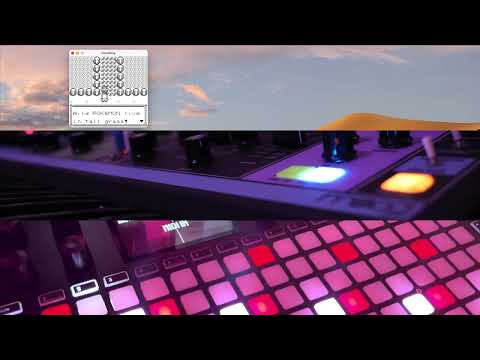
This video is a recording of cardio-crumble, running on a pure OCaml GameBoy emulator (BetterBoy).