

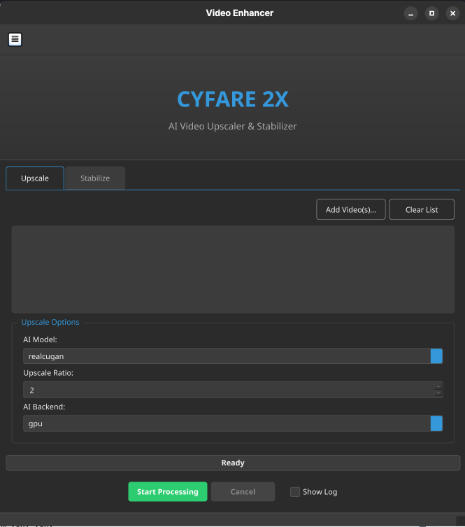
CYFARE-2X is stable GUI tool for AI-powered video upscaling and stabilizing. It runs on video2x appimage backend. Made for GNU/Linux.


- Releases: Releases
python -m venv venv
source /venv/bin/activate
pip install -r requirements.txt
python c2x.pyBefore using the below, make sure to install:
- Nvidia CUDA drivers
- NVCC
- CUDNN
- FFMPEG with CUDA support (build if required after driver install & reboot)
- Download latest Video2x appimage from official repo: https://github.com/k4yt3x/video2x/releases
After installing, reboot and make sure nvidia-smi command detects GPU.
By default, appimages don't contain CUDA support for ffmpeg. You can point the existing ffmpeg binary /usr/bin/ffmpeg in commands OR use the following for optimized build.
Why a custom build?
- Faster execution - your videos will get encoded and decoded faster!
- GPU support guaranteed - if you have properly installed the drivers, GPU support will be compiled
- Reliability - if you're working on dedicated workloads, each update won't break the pipeline
- Guide: https://github.com/CYFARE/Brain-Notes/blob/main/SysDev/Builds/FFmpeg%20Build%20Guide.md
-> Reliable, Fast -> This method is used in CYFARE-V2X project!
VK_ICD_FILENAMES=/usr/share/vulkan/icd.d/nvidia_icd.json \
      __NV_PRIME_RENDER_OFFLOAD=1 \
      __GLX_VENDOR_LIBRARY_NAME=nvidia \
      PATH="/home/USERNAME/ffmpeg:$PATH" \
      ./Video2X-x86_64.AppImage \
        -i raw.mpg -o out.mkv \
        -p realcugan --realcugan-model models-se -s 4 \
        -c h264_nvenc \
        -e preset=llhq -e rc-lookahead=0 -e no-scenecut=1 -e zerolatency=1 -e delay=0 -e aud=1
For other supported method or tweaking the source but maintain reliability, check the notes: https://github.com/CYFARE/Brain-Notes/blob/main/SysDev/Cheatsheets/CYFARE%20V2X.md
You can support via: https://cyfare.net/app/social/