Skip to content

Fix: open expense report (not pay message thread) for paid expenses in Recently added - #99668

Draft
MelvinBot wants to merge 1 commit into
mainfrom
claude-fixPaidExpenseOpensPayThread
Draft

Fix: open expense report (not pay message thread) for paid expenses in Recently added#99668
MelvinBot wants to merge 1 commit into
mainfrom
claude-fixPaidExpenseOpensPayThread

Conversation

@MelvinBot

Copy link
Copy Markdown
Contributor

Explanation of Change

When paying someone in a 1:1 DM and marking it as paid, the transaction has two IOU actions with the same IOUTransactionID: the original money-request (CREATE) action, whose childReportID is the expense/transaction thread, and the PAY action, whose childReportID is the "marked as paid" system message thread. The Home "Recently added" slot resolves each expense's action via getIOUActionForTransactionID, a first-match .find() that can return the PAY action. getReportIDToOpenForExpense then navigated straight to that action's childReportID, so opening the paid expense from "Recently added" opened the "marked as paid" message thread instead of the expense report.

This adds an isSentMoneyReportAction guard in getReportIDToOpenForExpense: when the resolved action is a sent-money (pay) action, it navigates to the parent report (the expense report) rather than the pay action's message thread. This mirrors how the Search page routes single-transaction reports to the report itself. A unit test covers the new behavior.

Fixed Issues

$ #99611
PROPOSAL: #99611 (comment)

Tests

  • Verify that no errors appear in the JS console

Offline tests

QA Steps

// TODO: These must be filled out, or the issue title must include "[No QA]."

  • Verify that no errors appear in the JS console

PR Author Checklist

  • I linked the correct issue in the ### Fixed Issues section above
  • I wrote clear testing steps that cover the changes made in this PR
    • I added steps for local testing in the Tests section
    • I added steps for the expected offline behavior in the Offline steps section
    • I added steps for Staging and/or Production testing in the QA steps section
    • I added steps to cover failure scenarios (i.e. verify an input displays the correct error message if the entered data is not correct)
    • I turned off my network connection and tested it while offline to ensure it matches the expected behavior (i.e. verify the default avatar icon is displayed if app is offline)
    • I tested this PR with a High Traffic account against the staging or production API to ensure there are no regressions (e.g. long loading states that impact usability).
  • I included screenshots or videos for tests on all platforms
  • I ran the tests on all platforms & verified they passed on:
    • Android: Native
    • Android: mWeb Chrome
    • iOS: Native
    • iOS: mWeb Safari
    • MacOS: Chrome / Safari
  • I verified there are no console errors (if there's a console error not related to the PR, report it or open an issue for it to be fixed)
  • I followed proper code patterns (see Reviewing the code)
    • I verified that comments were added to code that is not self explanatory
    • I verified that any new or modified comments were clear, correct English, and explained "why" the code was doing something instead of only explaining "what" the code was doing.
    • I verified any copy / text that was added to the app is grammatically correct in English. It adheres to proper capitalization guidelines (note: only the first word of header/labels should be capitalized), and is either coming verbatim from figma or has been approved by marketing (in order to get marketing approval, ask the Bug Zero team member to add the Waiting for copy label to the issue)
  • If a new code pattern is added I verified it was agreed to be used by multiple Expensify engineers
  • I followed the guidelines as stated in the Review Guidelines
  • I tested other components that can be impacted by my changes (i.e. if the PR modifies a shared library or component like Avatar, I verified the components using Avatar are working as expected)
  • If a new CSS style is added I verified that:
    • A similar style doesn't already exist
    • The style can't be created with an existing StyleUtils function (i.e. StyleUtils.getBackgroundAndBorderStyle(theme.componentBG))
  • If new assets were added or existing ones were modified, I verified that:
    • The assets are optimized and compressed (for SVG files, run npm run compress-svg)
    • The assets load correctly across all supported platforms.
  • If the PR modifies code that runs when editing or sending messages, I tested and verified there is no unexpected behavior for all supported markdown - URLs, single line code, code blocks, quotes, headings, bold, strikethrough, and italic.
  • If the PR modifies a generic component, I tested and verified that those changes do not break usages of that component in the rest of the App (i.e. if a shared library or component like Avatar is modified, I verified that Avatar is working as expected in all cases)
  • If the PR modifies a component related to any of the existing Storybook stories, I tested and verified all stories for that component are still working as expected.
  • If the PR modifies a component or page that can be accessed by a direct deeplink, I verified that the code functions as expected when the deeplink is used - from a logged in and logged out account.
  • If the PR modifies the UI (e.g. new buttons, new UI components, changing the padding/spacing/sizing, moving components, etc) or modifies the form input styles:
    • I verified that all the inputs inside a form are aligned with each other.
    • I added Design label and/or tagged @Expensify/design so the design team can review the changes.
  • I added unit tests for any new feature or bug fix in this PR to help automatically prevent regressions in this user flow.
  • If the main branch was merged into this PR after a review, I tested again and verified the outcome was still expected according to the Test steps.

Screenshots/Videos

Android: Native
Android: mWeb Chrome
iOS: Native
iOS: mWeb Safari
MacOS: Chrome / Safari

…penses in Recently added

Co-authored-by: Georgia Monahan <grgia@users.noreply.github.com>
@melvin-bot melvin-bot Bot added Melvin-Test-Android Melvin-Test-Web Triggers Melvin to run the testing steps of the PR on web labels Aug 27, 2026
@MelvinBot
MelvinBot requested a review from a team August 27, 2026 13:30
@github-actions

Copy link
Copy Markdown
Contributor

🚧 grgia has triggered a test Expensify/App build. You can view the workflow run here.

@codecov

codecov Bot commented Aug 27, 2026

Copy link
Copy Markdown

Codecov Report

✅ Changes either increased or maintained existing code coverage, great job!

Files with missing lines Coverage Δ
src/libs/TransactionThreadNavigationUtils.ts 100.00% <100.00%> (ø)
... and 11 files with indirect coverage changes

@github-actions

Copy link
Copy Markdown
Contributor

🧪🧪 Use the links below to test this adhoc build on Android, iOS, and Web. Happy testing! 🧪🧪
Built from App PR #99668.

Android 🤖 iOS 🍎
⏩ SKIPPED ⏩ ⏩ SKIPPED ⏩
The build for Android was skipped The build for iOS was skipped
Web 🕸️
https://99668.pr-testing.expensify.com
Web

👀 View the workflow run that generated this build 👀

@MelvinBot

Copy link
Copy Markdown
Contributor Author

🤖 Ran the testing steps from this PR on Android (standalone NewDot).

Outcome: ❌ FAIL — the payment flow works and the paid expense shows up in Home "Recently added", but tapping it from "Recently added" still opens the "marked as paid" system-message thread instead of the expense report. The regression this PR is meant to fix reproduced twice with fresh element refs. The actual expense report was only reachable by additionally tapping the "paid" link inside that thread.

Step Status Observation
Open 1:1 DM and initiate Pay via + menu ✅ pass Opened DM with qa.guide@team.expensify.com, tapped + → "Pay …", amount screen appeared
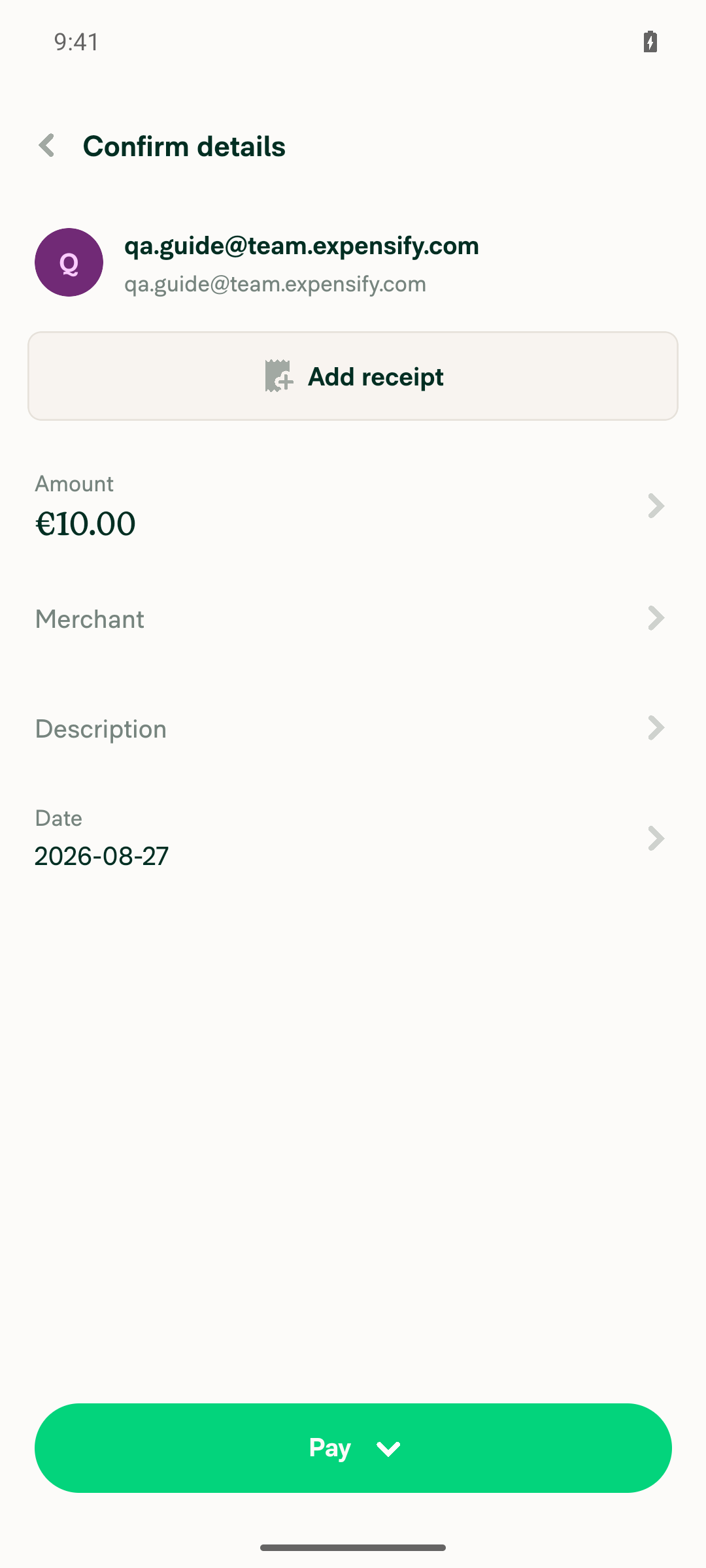
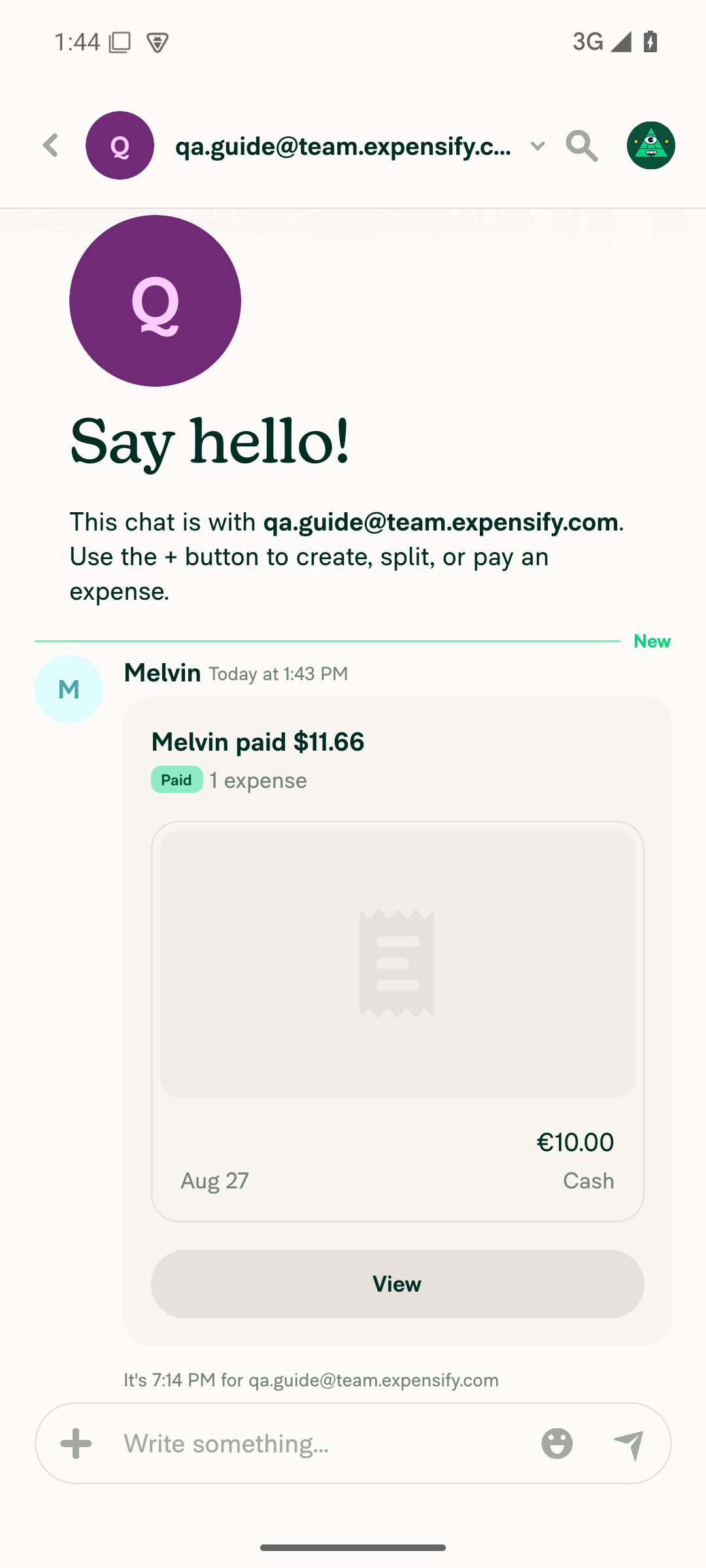
Enter amount, submit, and Mark as paid ✅ pass Entered €10.00 → Next → Confirm details → Pay → Mark as paid; chat shows "Melvin paid … / Paid / 1 expense / €10.00 / Cash"
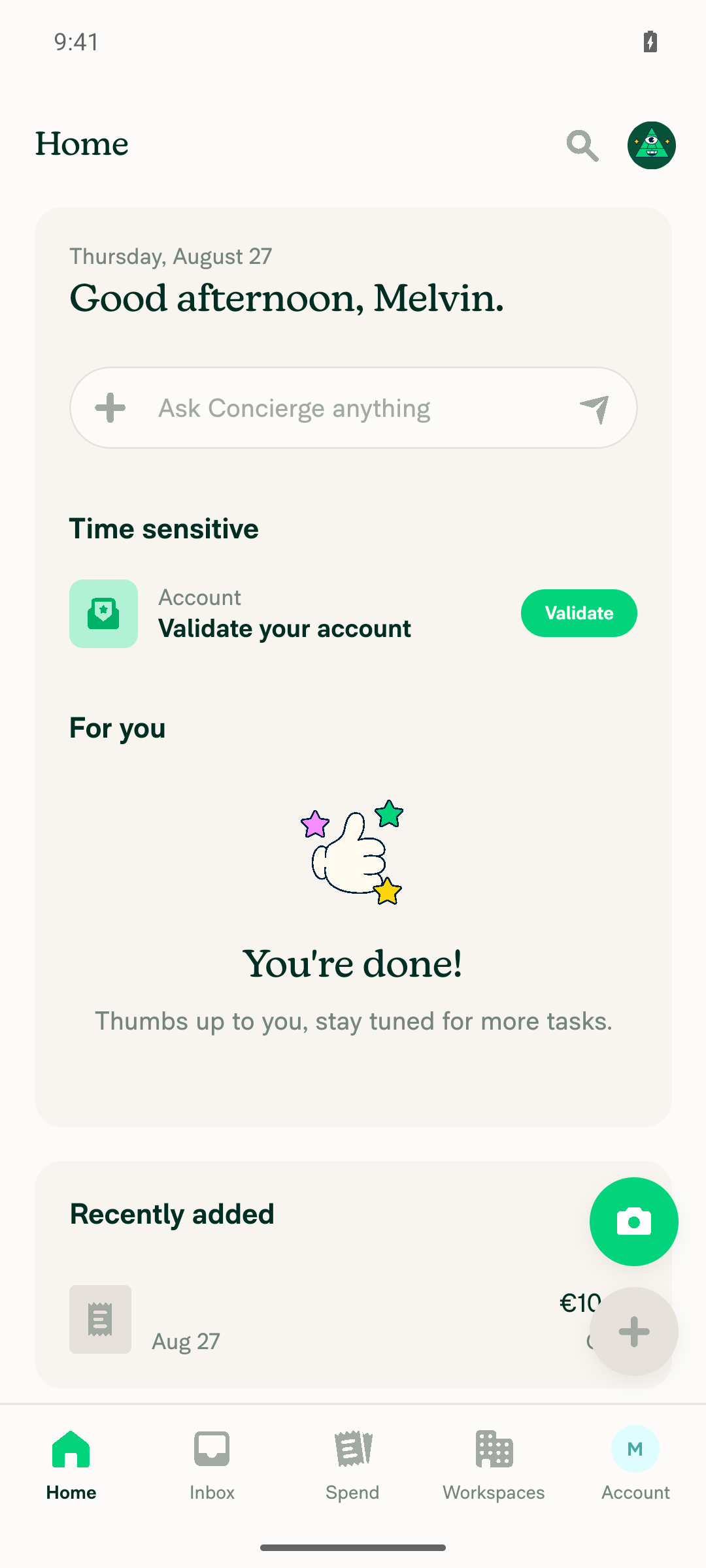
Paid expense appears in Home "Recently added" ✅ pass "Recently added" shows a card "€10.00, Aug 27, Cash"
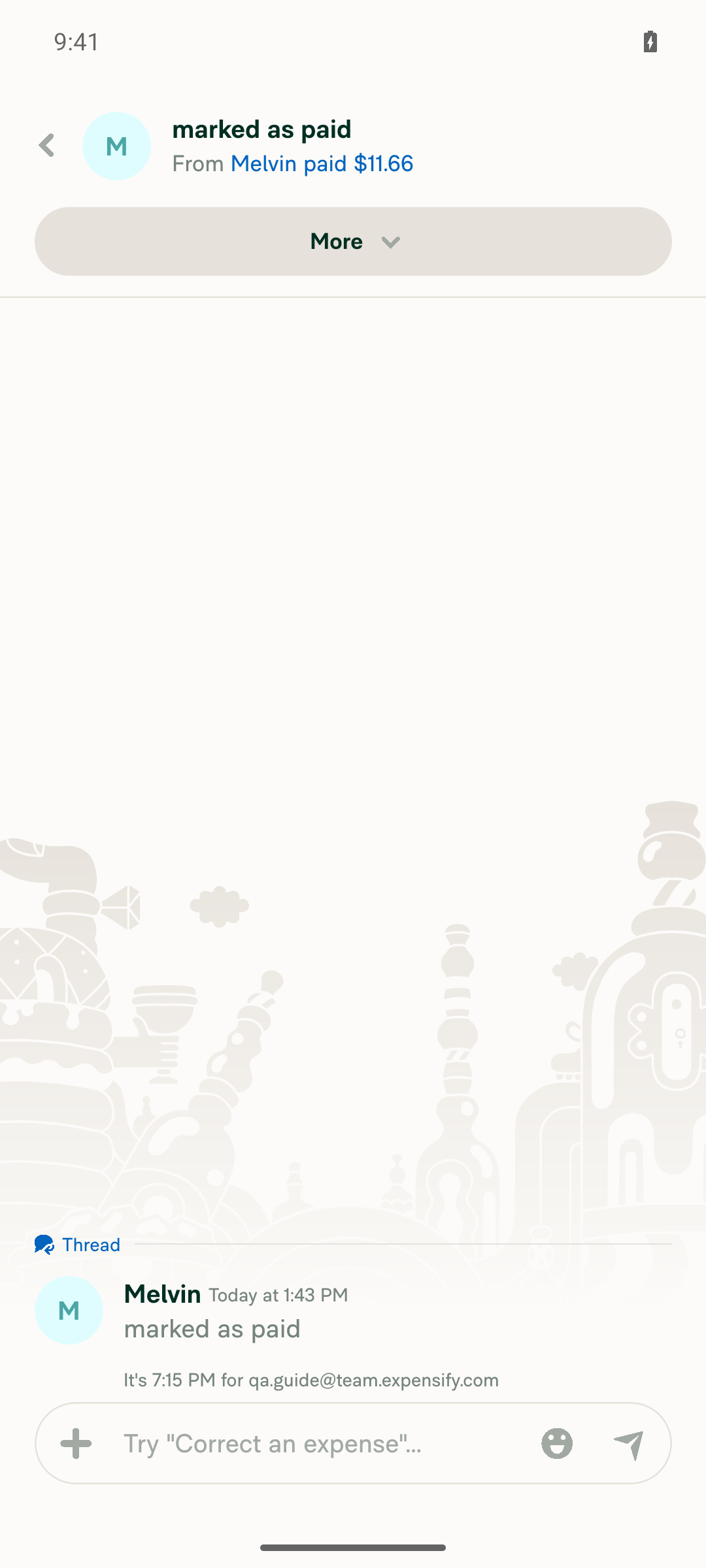
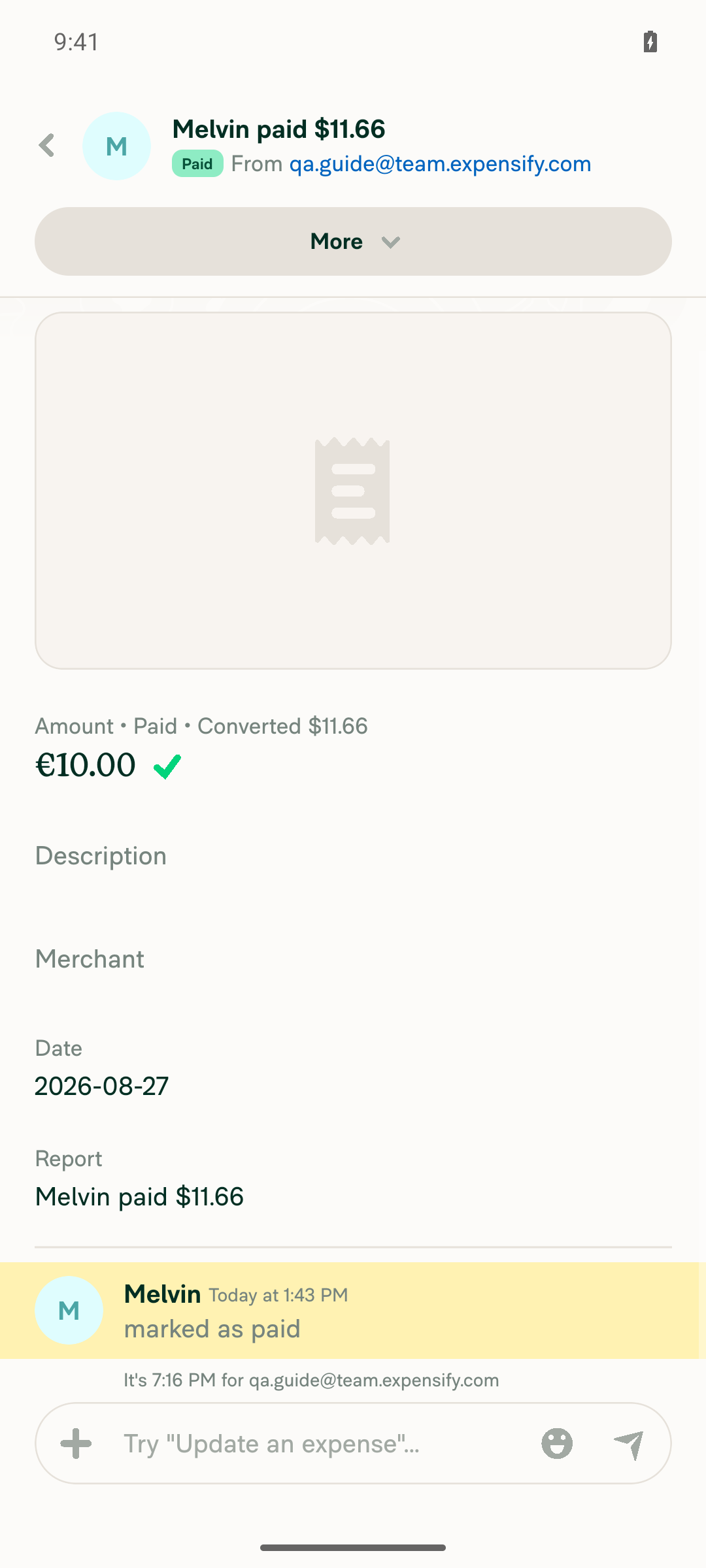
Opening from "Recently added" opens the EXPENSE REPORT (not the pay message thread) ❌ fail Tapping the card (reproduced twice) navigated to a screen headed "marked as paid / From Melvin paid …" containing only the "marked as paid" thread message — not the expense report (Amount/Description/Merchant/Date/Report fields)
No JS console errors during the flow ✅ pass No ReactNativeJS [error]/console.error/unhandled-promise entries during the flow; only unrelated native warnings

Note: mid-test an Android "Allow notifications?" system permission dialog briefly intercepted taps (device/OS interstitial, not an App bug); it was dismissed and the flow continued normally.

Screenshots

Pay confirm details (€10.00)
Pay confirm details screen with €10.00 amount

After Mark as paid
DM chat showing paid, 1 expense after Mark as paid

Home → Recently added (paid expense visible)
Home screen with the paid expense visible under Recently added

FAIL: tapping Recently added opens the "marked as paid" thread
Tapping Recently added card opens the marked as paid system message thread, not the expense report

For contrast: the actual expense report (reached via in-thread paid link)
The actual expense report reached via the in-thread paid link


view run

@MelvinBot

Copy link
Copy Markdown
Contributor Author

🤖 Ran the testing steps from this PR on Web (dev NewDot).

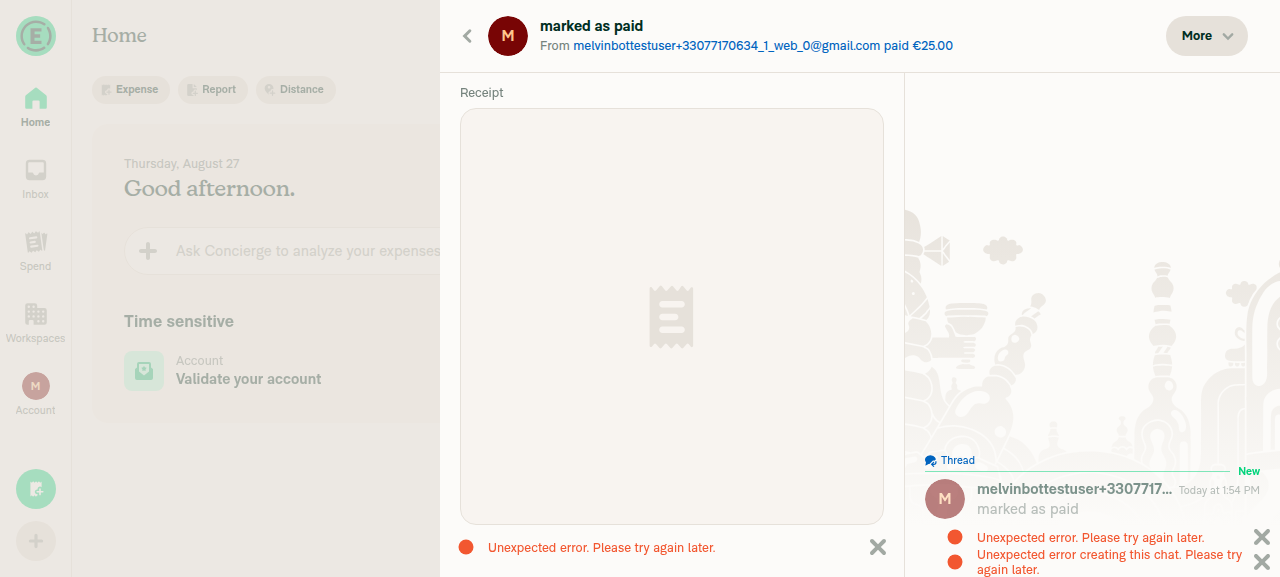
Outcome: ⚠️ PARTIAL — core fix passed. Opening the paid expense from Home "Recently added" correctly routed to the expense report detail view (/search/view/<id>?backTo=home, showing the Receipt/expense details) rather than dropping into the "marked as paid" system-message thread — i.e. the regression this PR targets is fixed on Web. The "partial" is unrelated environment noise: the SendMoneyElsewhere call returned a 404 and the UI showed "Unexpected error" banners, most likely because the payment recipient (qateam+123@expensify.com) is a synthetic address never registered in this dev environment, not a defect in this PR.

Step Status Observation
Open 1:1 DM and initiate Pay via + menu ✅ pass Started a 1:1 DM with qateam+123@expensify.com; in-chat + → "Pay …" opened the amount screen
Enter amount, submit, and Mark as paid ⚠️ partial Entered €25.00 → Next → Confirm → "Mark as paid"; UI updated to "Paid / sent €25.00 elsewhere", but POST /api/SendMoneyElsewhere returned 404 and an "Unexpected error" banner appeared (likely due to the unregistered synthetic recipient)
Paid expense appears in Home "Recently added" ✅ pass "Recently added" showed a €25.00 Cash entry dated Aug 27
Opening from "Recently added" opens the EXPENSE REPORT (not the pay message thread) ✅ pass Clicking the row navigated to /search/view/5265636502389756?backTo=home, rendering the expense/transaction detail view (Receipt section) as the primary pane, not the "marked as paid" chat thread
No JS console errors during the flow ❌ fail Network-level errors: SendMoneyElsewhere 404, AuthenticatePusher 403 (x2), plus visible "Unexpected error" banners — all tied to the payment API against a synthetic recipient, not the navigation fix

Recommend a clean re-run against a real registered second test account to clear the SendMoneyElsewhere 404 noise and confirm steps 2 and 5 without the environment-related banners. The primary fix (Recently added → expense report) verified as working.

Screenshots

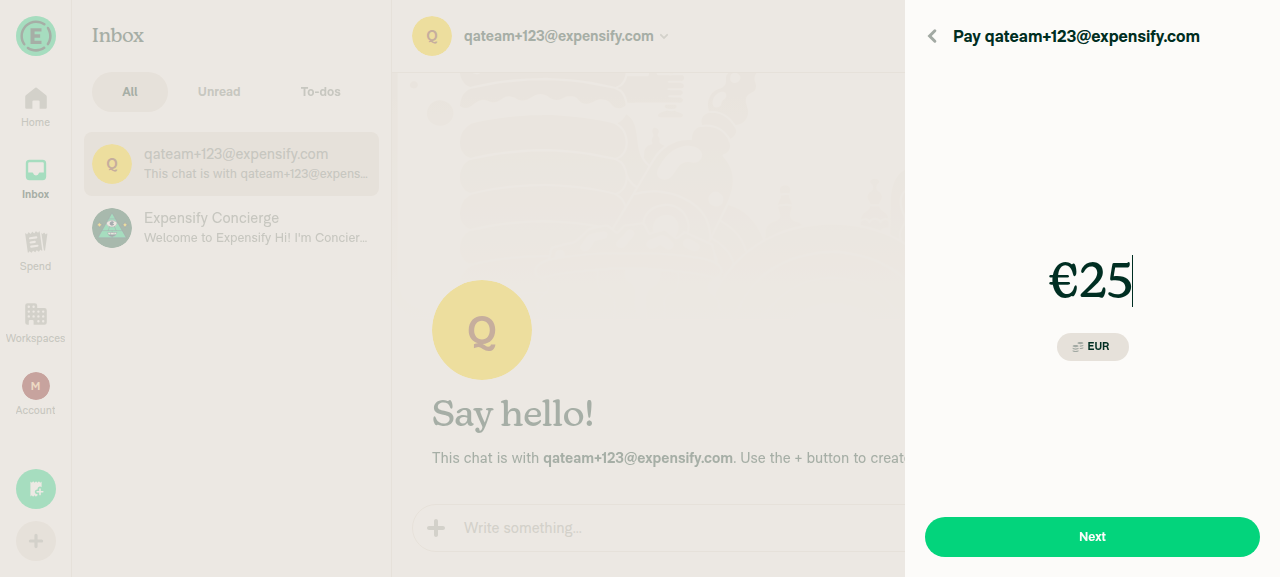
Pay amount (€25.00)
Pay amount entry showing €25 entered

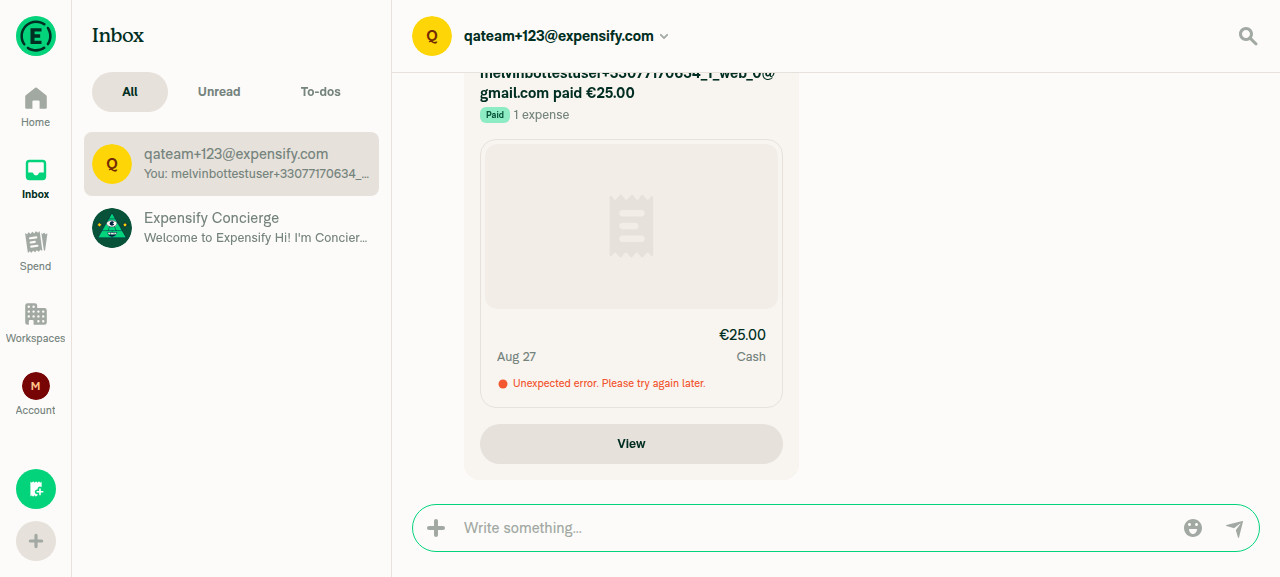
After Mark as paid
DM chat showing payment marked as paid

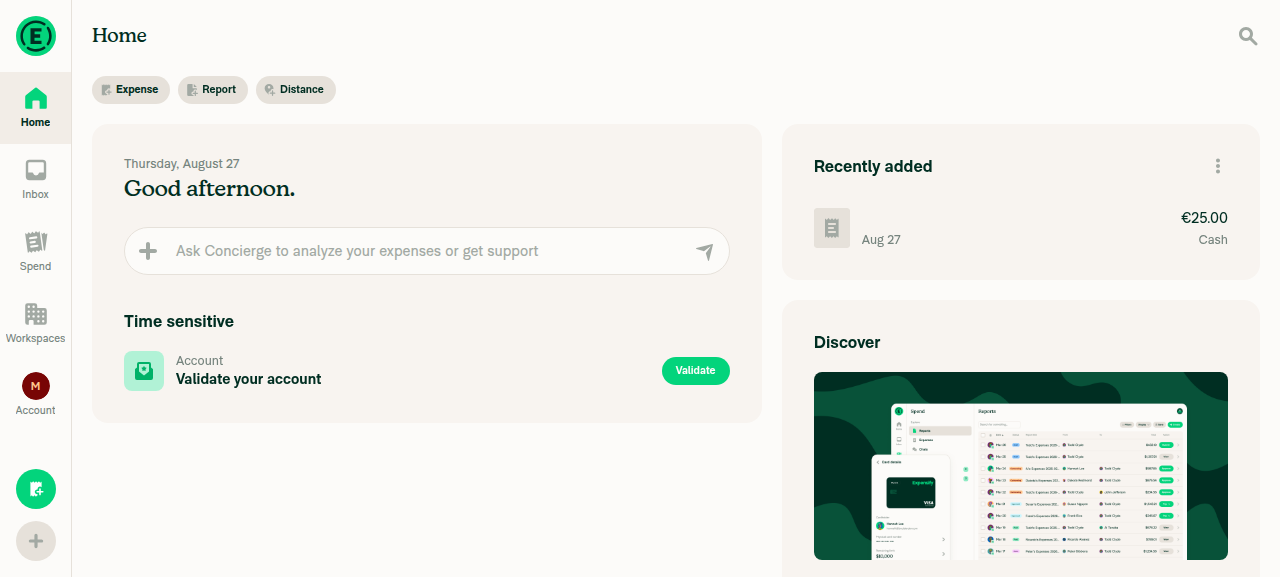
Home → Recently added (paid expense visible)
Home screen with the €25.00 Cash expense listed under Recently added

PASS: opening from Recently added shows the expense report detail view
Opened from Recently added: main pane shows the expense report detail view (Receipt section)


view run

Sign up for free to join this conversation on GitHub. Already have an account? Sign in to comment

Labels

Melvin-Test-Android Melvin-Test-Web Triggers Melvin to run the testing steps of the PR on web

Projects

None yet

Development

Successfully merging this pull request may close these issues.

2 participants