Simple launcher for Minecraft: Pi Edition and MCPI-Reborn - Vala/GTK+ Edition.


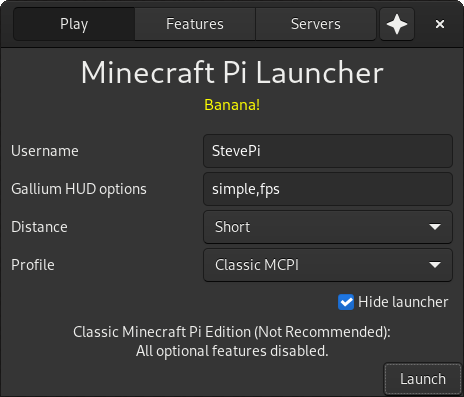
- Debian Buster-based OS or higher
- MCPI-Reborn
You can install gMCPIL from our APT repo, mcpi-packages:
# If you didn't install mcpi-packages yet
wget -qO- https://raw.githubusercontent.com/MCPI-Revival/mcpi-packages/master/install.sh | bash

# Actual gMCPIL installation
sudo apt install gmcpil
You can also download and install it from the releases section.
To build gMCPIL, you'll need Vala, a C compiler, and some additional packages. Assuming a Debian-based distro, you can install them running the commands listed here as root.
After installing the build dependencies, you can clone the repo and build gMCPIL:
git clone https://github.com/MCPI-Revival/gMCPIL
cd gMCPIL

make # Build gMCPIL
make pack # Make a Debian package
You can also set the DEBUG environment variable to add debug symbols to the executable.
See the CHANGELOG.txt file.
All the code of this project is licensed under the GNU General Public License version 2.0 (GPL-2.0).
All the documentation of this project is licensed under the Creative Commons Attribution-ShareAlike 4.0 International (CC BY-SA 4.0) license.

