


I no longer use emacs outside of magit, and don't use mocha day-to-day either, so I don't have the resources or setup to maintain and test this project. If you would like to own/maintain it let me know.
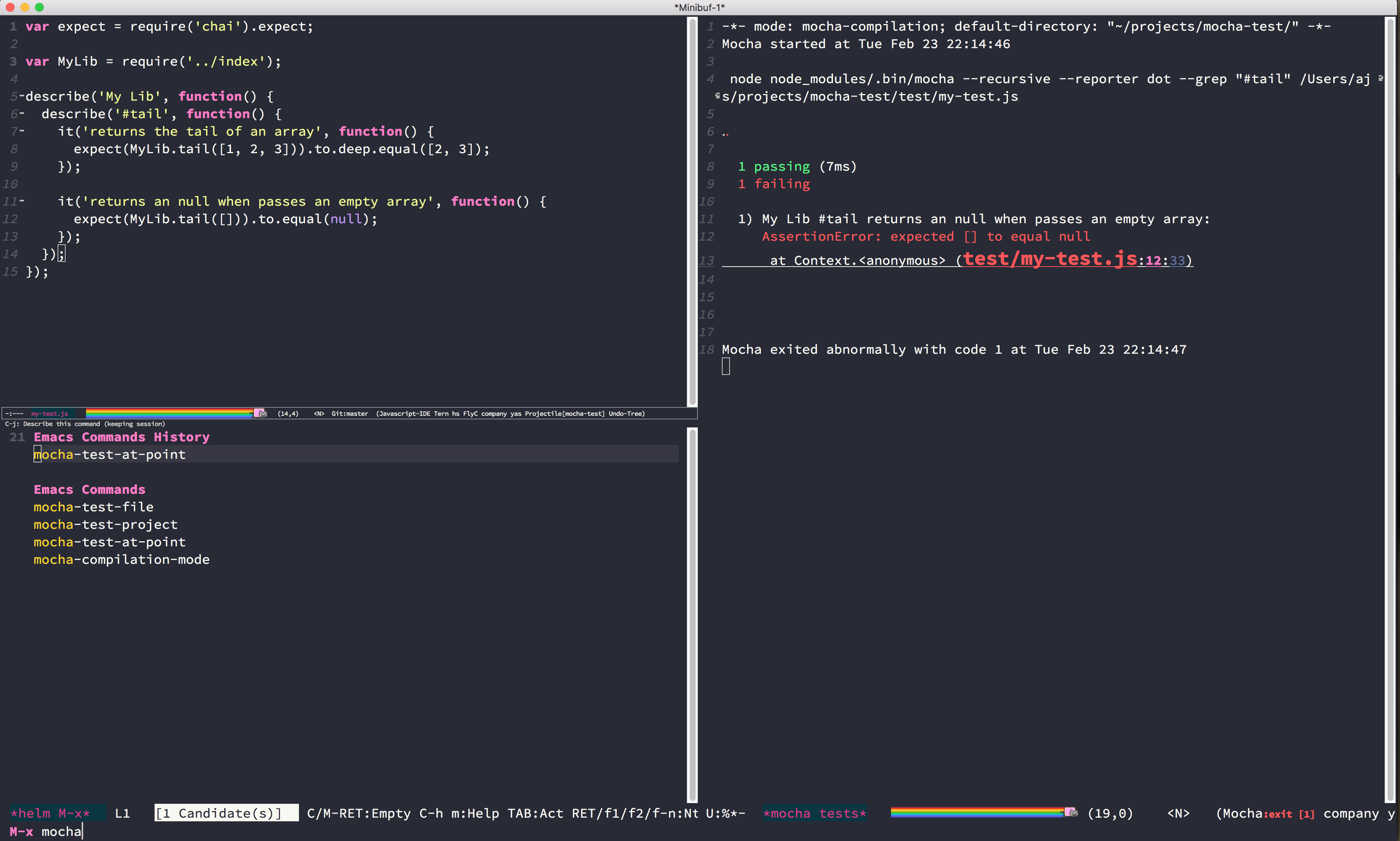
Emacs helpers for running mocha tests. It lets you test an entire project, a particular file, or a particular test in that file.
The package can be installed via MELPA. The package name is mocha.
Everything is set up right now to be configured via customize or per project in a .dir-locals.el file. You can find all options by looking at the mocha group in the customize interface. Below is an example configuration:
((nil . (
            (mocha-which-node . "/Users/ajs/.nvm/versions/node/v4.2.2/bin/node")
            (mocha-command . "node_modules/.bin/mocha")
            (mocha-environment-variables . "NODE_ENV=test")
            (mocha-options . "--recursive --reporter dot -t 5000")
            (mocha-project-test-directory . "test")
            (mocha-reporter . "spec")
)))In order to run tests there are three functions exposed:
mocha-test-projectwill run all the tests in your project.mocha-test-filewill test just the current file you are visiting.mocha-test-at-pointwill try and semantically find the nearest enclosingitordescribefrom your cursor, and just run that.
You can run any of these functions via M-x, or assign them to hotkeys.
Stack traces for failing tests have clickable links to the file and line that failed.
mocha-test-at-point uses js2-mode to find the nearest describe or it and extract the description string from it. As such, it only works in JavaScript files that have js2-mode set as the major mode.
Mocha includes an imenu function that builds an index matching the describe and it tree. You can enable this index function by setting imenu-create-index-function to mocha-make-imenu-alist or using (mocha-toggle-imenu-function).
Each of the test functions has a debug analog: mocha-debug-project, mocha-debug-file, and mocha-debug-at-point. Using these functions depends on having a javascript debugger installed and loaded. The debuggers with built-in support are:
The realgud debugging buffer takes the same commands as the standard node CLI debugger. Some useful ones are:
sto step inoto step outnto step overcto continue executionrepluse interactive REPL at point
Additionally C-c C-c will send a BREAK signal, and M-p will cycle through previous inputs.
Be sure to!
Install Cask if you haven't already.
Install the dependencies:
$ make install
Run the tests with:
$ make test